
Front desk and check-in
The morning rush on one screen.
Your team checks members in, sells a pack to a walk-in, logs a Privilee visit and undoes a mistake from the same Today view. It works on the desk computer, a tablet or a phone, and there is no training week.
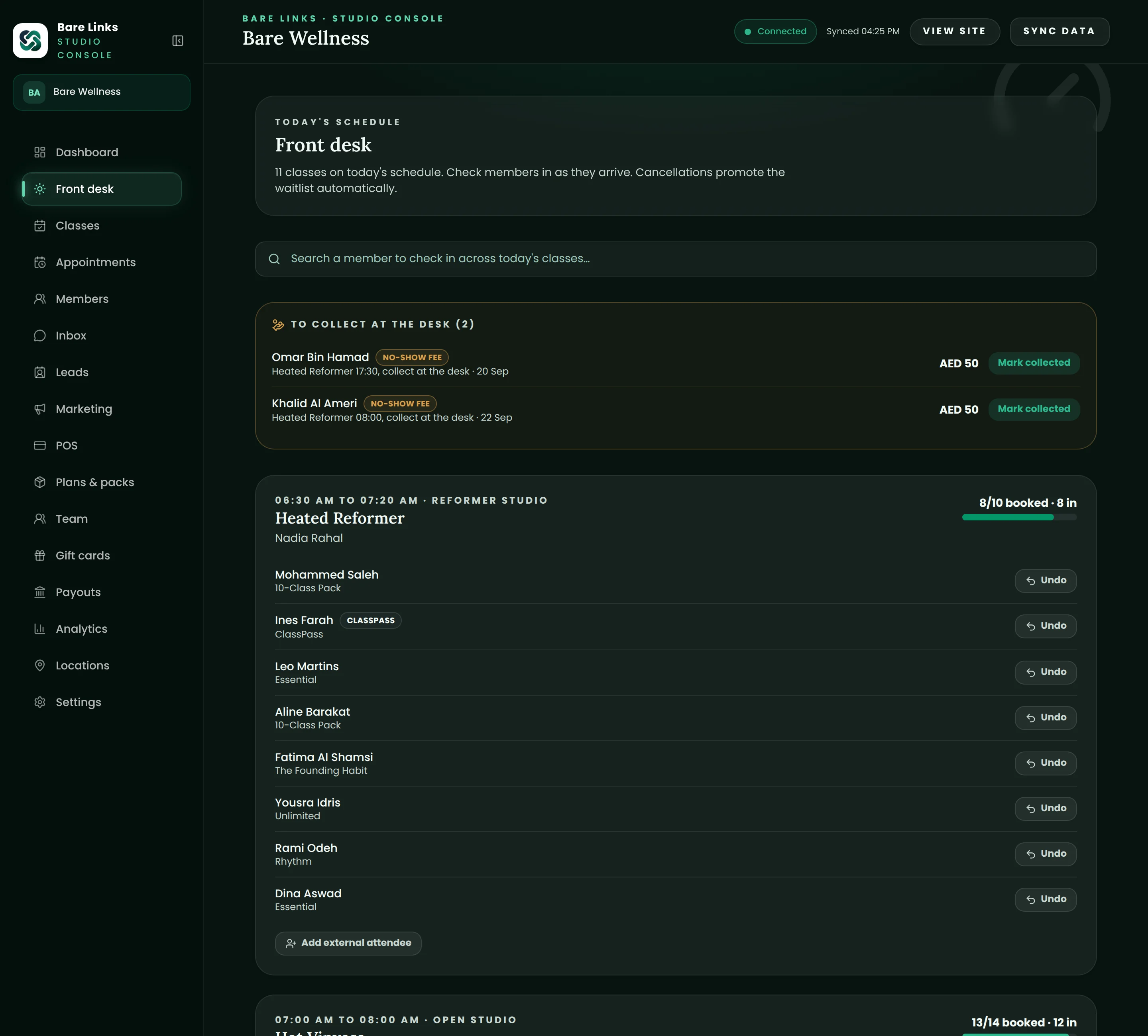
Today view.
Every class of the day with its roster, capacity and waitlist. Tap to check someone in, mark a no-show, move a member to another class or add a walk-in. Changes show up instantly for everyone else on the team.
- Roster with spots, packs and outstanding balances visible
- One-tap check-in, undo and no-show
- Walk-in sales without leaving the screen
Privilee, ClassPass and corporate visits.
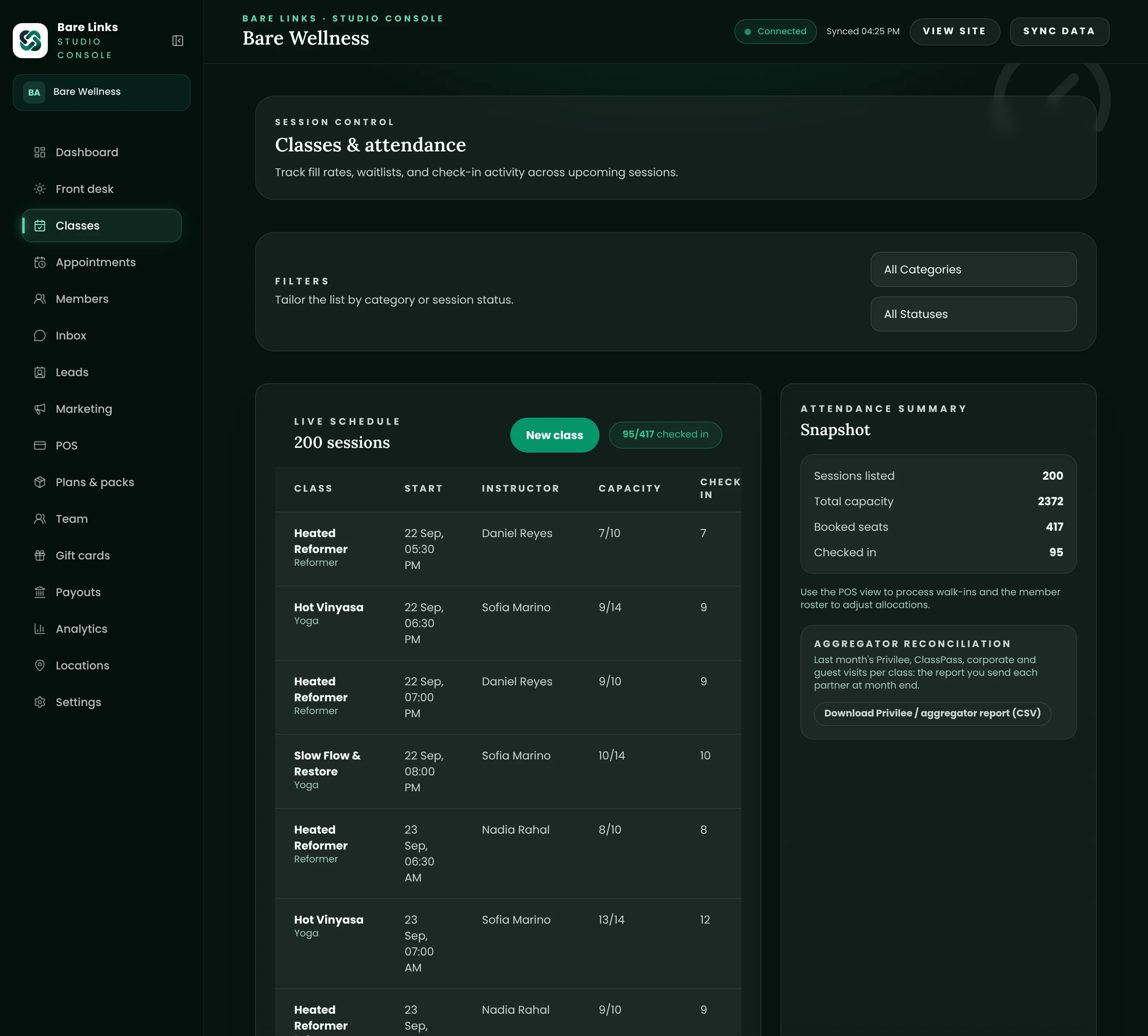
Partner members are logged in two taps against the right class. Each class can hold a number of seats for partner bookings so your paying members are never crowded out, and you can exclude specific formats per partner. At month end, one export per partner does the reconciliation.
- Per-class seat holds for partners
- Format exclusions per partner (for example no reformer for Privilee)
- Monthly export per partner
Point of sale.
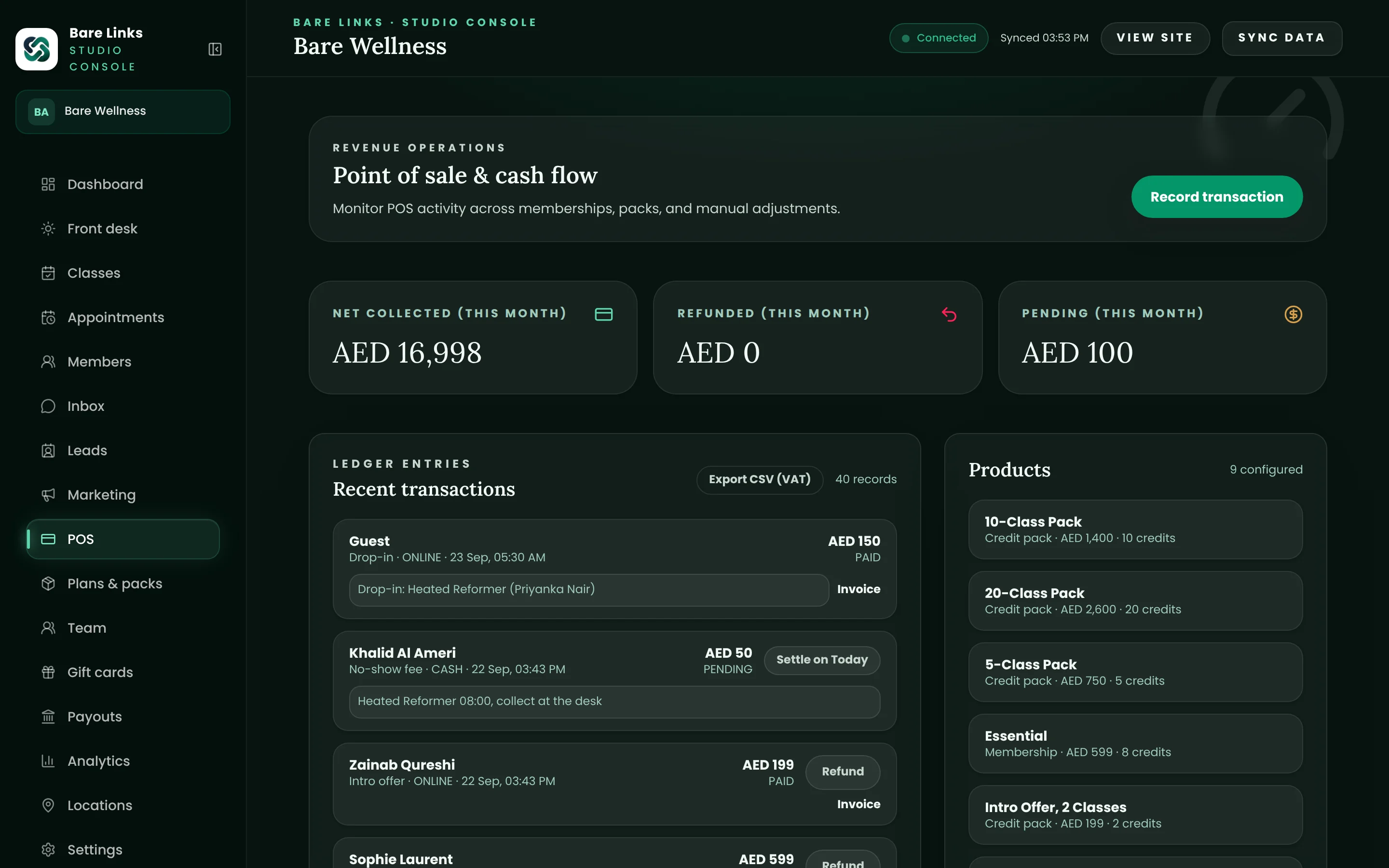
Sell packs, memberships, drop-ins, gift cards and retail at the desk. Take cash, card or transfer, and issue the tax invoice on the spot. Everything lands in the same ledger as online sales.
- Retail items and add-ons
- Gift card sale and redemption
- Receipts and invoices by email
Staff roles and an audit trail.
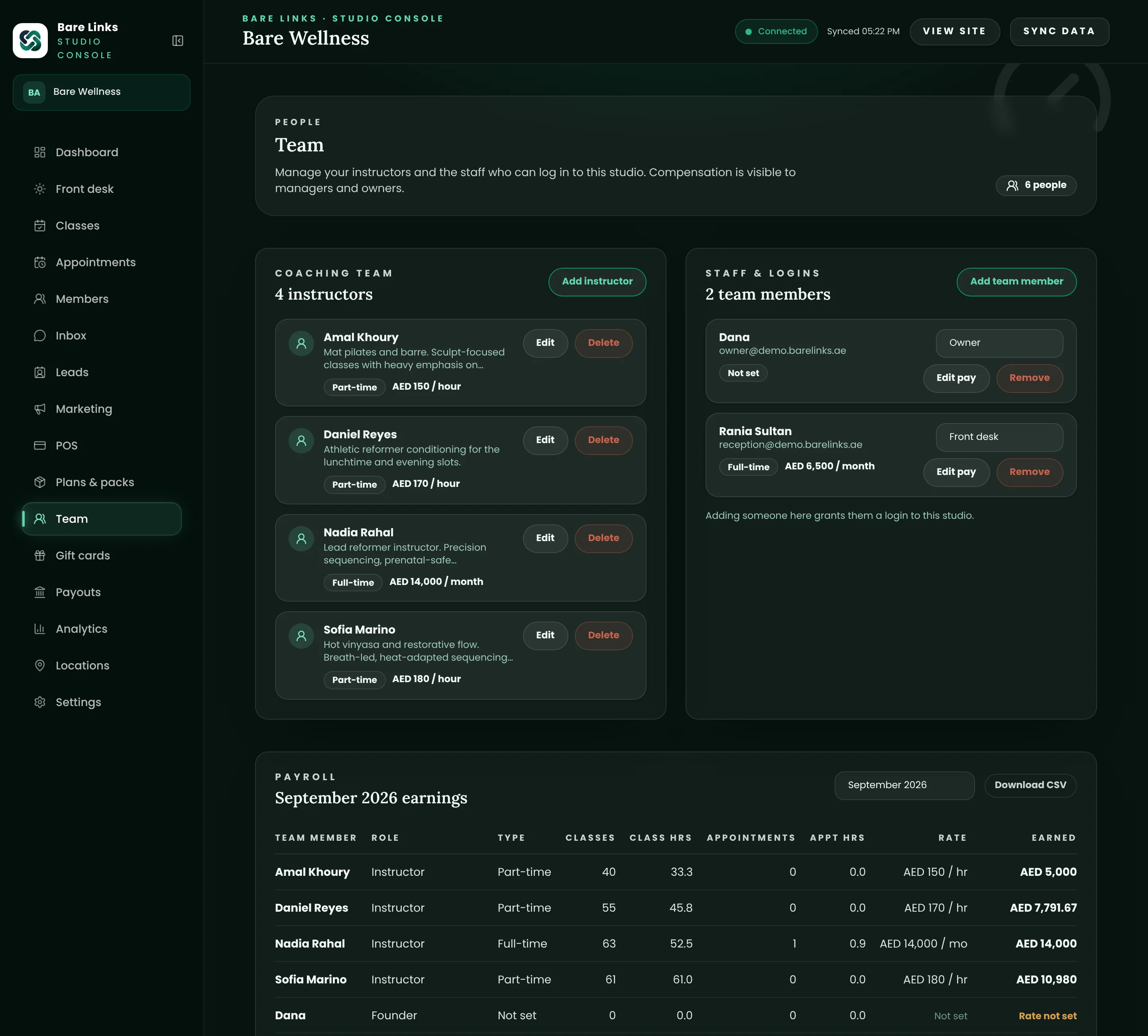
Owner, manager, front desk and instructor roles are enforced on the server, not just hidden in the interface. Refunds, balance adjustments, exports and settings changes are logged with who did what and when.
- Role-based access enforced on every request
- Financial and medical fields limited to the roles that need them
- Audit log you can read and export
Today view.
Every class of the day with its roster, capacity and waitlist. Tap to check someone in, mark a no-show, move a member to another class or add a walk-in. Changes show up instantly for everyone else on the team.
- Roster with spots, packs and outstanding balances visible
- One-tap check-in, undo and no-show
- Walk-in sales without leaving the screen
Privilee, ClassPass and corporate visits.
Partner members are logged in two taps against the right class. Each class can hold a number of seats for partner bookings so your paying members are never crowded out, and you can exclude specific formats per partner. At month end, one export per partner does the reconciliation.
- Per-class seat holds for partners
- Format exclusions per partner (for example no reformer for Privilee)
- Monthly export per partner
Point of sale.
Sell packs, memberships, drop-ins, gift cards and retail at the desk. Take cash, card or transfer, and issue the tax invoice on the spot. Everything lands in the same ledger as online sales.
- Retail items and add-ons
- Gift card sale and redemption
- Receipts and invoices by email
Staff roles and an audit trail.
Owner, manager, front desk and instructor roles are enforced on the server, not just hidden in the interface. Refunds, balance adjustments, exports and settings changes are logged with who did what and when.
- Role-based access enforced on every request
- Financial and medical fields limited to the roles that need them
- Audit log you can read and export
Also included
The details that make the module complete.
Every item below ships on every plan unless the pricing page says otherwise.
Any device
Desk computer, tablet or phone. Nothing to install.
Self check-in
Members check in from their own phone; the desk sees it live.
Waivers
A digital waiver, signed once, with the version each member accepted on file.
Member notes
Injuries, preferences and tags visible to the roles you allow.
Instructor view
Instructors see their own classes and rosters, nothing else.
Inbox
Member replies land in a shared inbox once WhatsApp is verified.
Questions owners ask
Questions about front desk and check-in.
Short answers. If yours is missing, ask on the demo call.
How long does it take to train a new front desk person?
An hour, usually. The Today view is the whole job for most shifts, and the actions on it are labelled in plain words. The demo tenant is a safe place to practise.
Can we run the desk from an iPad?
Yes. The admin backend is a website that works on any modern browser, and the portal installs on a phone or tablet like an app.
What about members who forget their phone?
Search by name at the desk and check them in. Their pack or membership is charged exactly as if they had used the app.
Built for
- Pilates and yoga
Reformer spot booking, mat classes, packs and privates.
- Gyms and fitness
Memberships, class timetables, boxing and small-group training.
- Spa and recovery
Treatment rooms, sauna and ice bath sessions, packages.
The rest of the platform
- Scheduling and booking
Classes, waitlists, spot selection and appointments.
- Memberships and packs
Recurring memberships, credit packs, freezes and intro offers.
- Payments and invoicing
AED card payments, Apple Pay, FTA tax invoices and payouts.
- Marketing and automations
Welcome journeys, win-backs, leads and campaigns.
- Reports and payouts
Revenue, occupancy, retention and where the money is.
See your studio on Bare Links.
Start a 14-day free trial and set up your studio yourself in minutes, or book a walkthrough with our Abu Dhabi team, tailored to your schedule, packs and current platform, with a written switch plan and no obligation.